
Introducing nomail
I got my first email address more than 20 years ago, made by my parents so I could receive all the finest "memes" and email chains from family and friends, and to create accounts on games and forums. It's nothing special for kids nowadays, but back then I was one of the very few in my school with internet access at home.
Email addresses are a crucial part of our online life: we use them everywhere, on every account we create on every platform, and to communicate with other people or subscribe to newsletters. Having one single address is convenient, since whether it's friends, family or your tax agency, everyone can reach you at the same place. Handy, right?
One address to rule them all
I haven't used that first address as my primary email for over a decade, but it still exists and will probably outlive me. Because I wasn't so careful as a kid, it quickly started to receive spam, so I was more cautious with my next @live.fr address, sharing it less and keeping the old one for anything I considered junk. I still do this today: a primary email, and a bunch of junk ones.
It's not perfect though. Data breaches have always been a reality, and if one hasn't hit you yet, first, have you been using the internet at all? And second, I'm sorry to bring the news, but it will happen eventually, so it's worth being prepared. Spam isn't the end of the world, but your email address is one of the two keys to any of your accounts if you don't have any kind of Two-Factor Authentication enabled.
Credential stuffing
A bit of context on why this matters.
Every online account you own holds some value to someone else, and if you've ever heard of economies of scale, it shouldn't be a surprise that someone can turn a profit reselling thousands of compromised accounts, even if each is 'only' worth a dollar, as long as gaining access doesn't cost too much time or resources.
You may have heard of brute-forcing, which consists of trying every possible password combination for a given email or username. A simple rate limit on failed logins is enough to make it ineffective. But as counter-measures get smarter, threat actors get more creative: imagine you're a naval ship trying to hit an enemy with no direct line of sight. Instead of shooting blindly and praying for a hit, what if you had an informant feeding you the enemy's last known coordinates? That's pretty much the idea behind credential stuffing.
Instead of generating random passwords (or running dictionaries) and burning login attempts, you can lean on a few facts to make a much better guess:
- We reuse the same email address between all accounts
- We also often reuse the same password(s) across multiple accounts
- There's a high probability that one of your email/password combos is already part of a data breach
And that's how you significantly raise your odds of a hit. These attacks are nothing new; it's where most of the cheap accounts you see on shady marketplaces come from, and especially for games, the original owner may never realize someone took over their account.
This is (almost) entirely solved by using a password manager and generating unique passwords for every account. It's been my standard for years, so I should already be at low risk of credential stuffing, but we can take it a step further.
Masked emails
A good first step is to create a 'vanity' email: if you own a domain like example.com, you can set up [email protected] as a redirection to your real personal address. I did this with Cloudflare Email Routing on one of my domains, and it works great. If that address ever starts to receive spam, I can just disable it (at the cost of breaking it for everyone I shared it with).
What if instead you had one unique address per online account? This is what's called "masked emails" or "email masking":
That covers the "deprecate one address at a time" need, but security-wise I don't love it: it's too predictable. The format itself matters too.
We can append a random string or word as a suffix:
This is great, but it adds a step every time I want to create an account: I need to open the Cloudflare Dashboard. I'm used to it, but it's not the fastest interface given everything it has to render. Then it hit me: Cloudflare has an API for almost everything, surely there's one for email routing rules? Yes there is! And surely someone else had the same idea and built a small frontend on top of it?
Enter "x2.email"
Indeed, Jesse Tinell had the same idea and published it on GitHub under an MIT License, how lovely! What's even better is that the app is purely a frontend: everything runs locally in your browser and only talks to the Cloudflare API, nothing else. You can run it locally, or deploy it for free on Cloudflare Pages and similar.
x2.email is a small Next.js app: paste your Cloudflare Account ID, Zone ID and API token, click "Create alias", done. Everything happens client-side, credentials never leave the browser. It's a great little tool, but after a few weeks of daily use I had a short list of things I wanted to change.
So I forked it.
Introducing nomail
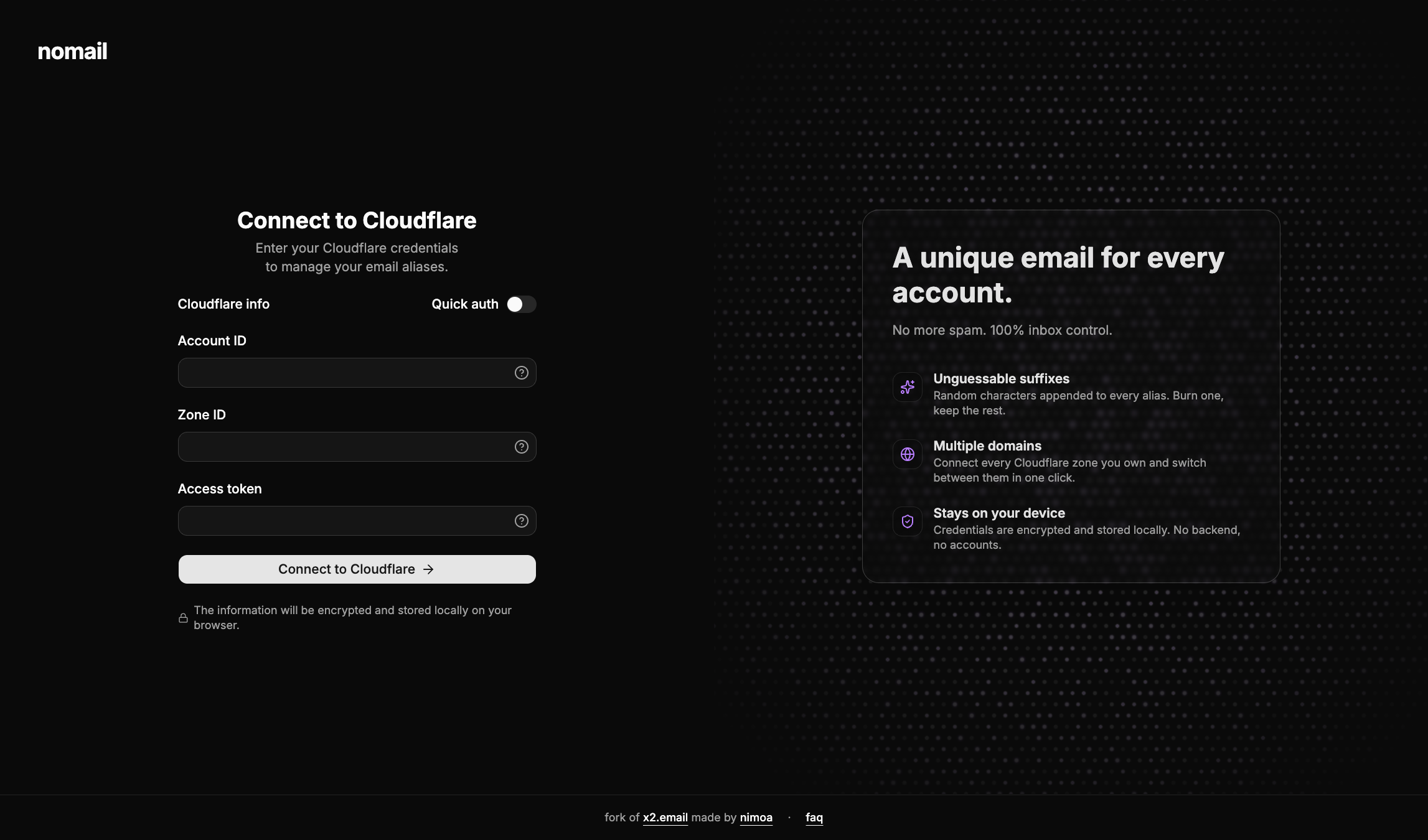
nomail is my fork of x2.email, deployed at nomail.nimoa.fr. The core idea is the same: a frontend that talks directly to the Cloudflare Email Routing API, no backend, no database, no account to create. What changes is the UX around it.
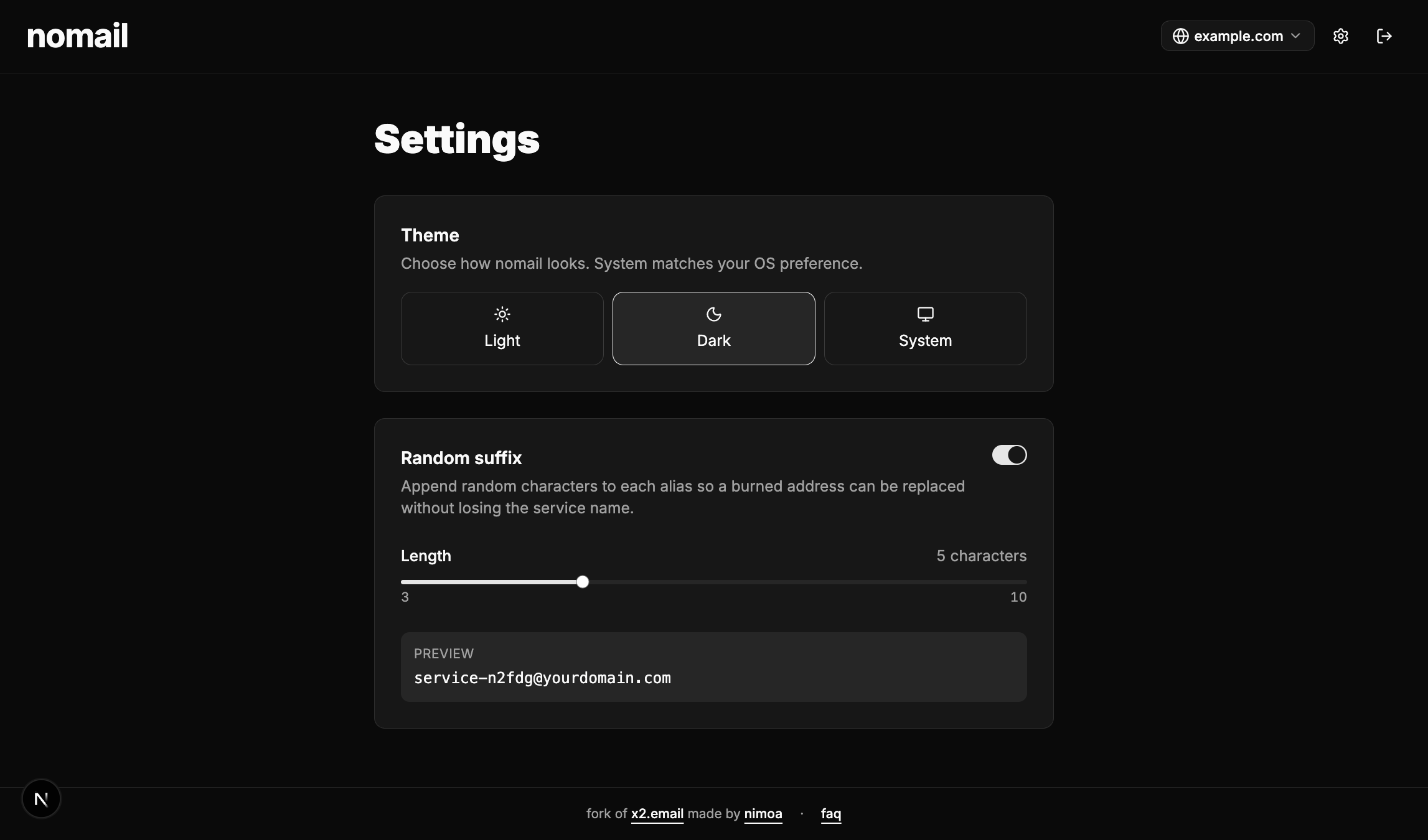
The first thing I changed is the alias generation itself. Every new alias can get a short random string appended to the prefix you choose ([email protected]), with the suffix length configurable from 3 to 10 characters. It's the unpredictability piece I described earlier, baked in so I don't have to think about it anymore.
On the cosmetic side, I rebuilt the interface on top of shadcn/ui and added support for light and dark mode.. While the original was perfectly functional, I just wanted something that felt closer to the rest of my tools.
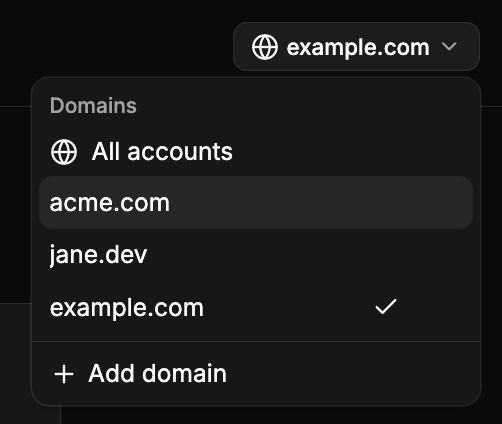
I also added multi-domain support: you can connect several Cloudflare zones at once, switch between them from the header, or view every alias across every domain in a single table. Pair that with the free-text search across alias, destination and domain, and finding a specific entry stops being painful once you have a few dozen of them. Credentials still live only in your browser, but they're now encrypted at rest in localStorage rather than sitting there in plain text.
The stack is Next.js 16, React 19, Tailwind v4 and TypeScript. It deploys anywhere Next.js runs, and the repo is wired up for Cloudflare Workers via @opennextjs/cloudflare.
Try it
If you already use Cloudflare Email Routing, give it a spin at nomail.nimoa.fr or self-host from the GitHub repo. The license is MIT, same as upstream, so you can do pretty much anything you want to do with this.
Big thanks to Jesse Tinell for the original project and idea, none of this would exists without him.